Most SEO checklists are recycled from 2019, padded with obvious advice like “use keywords in your title,” and written by people who have never actually ranked a page. This one is different.
This checklist comes from real site audits, real ranking experiments, and real results. Every item on this list has been personally tested. If something stopped mattering for rankings, it is not on this list. If something consistently moves the needle, it is here — explained clearly, with enough detail to actually implement it.
Use this checklist before you publish a new page, when you are auditing an existing one, or when a page that used to rank has started to slip. Work through it section by section. The items are grouped by category so you can focus on one area at a time.
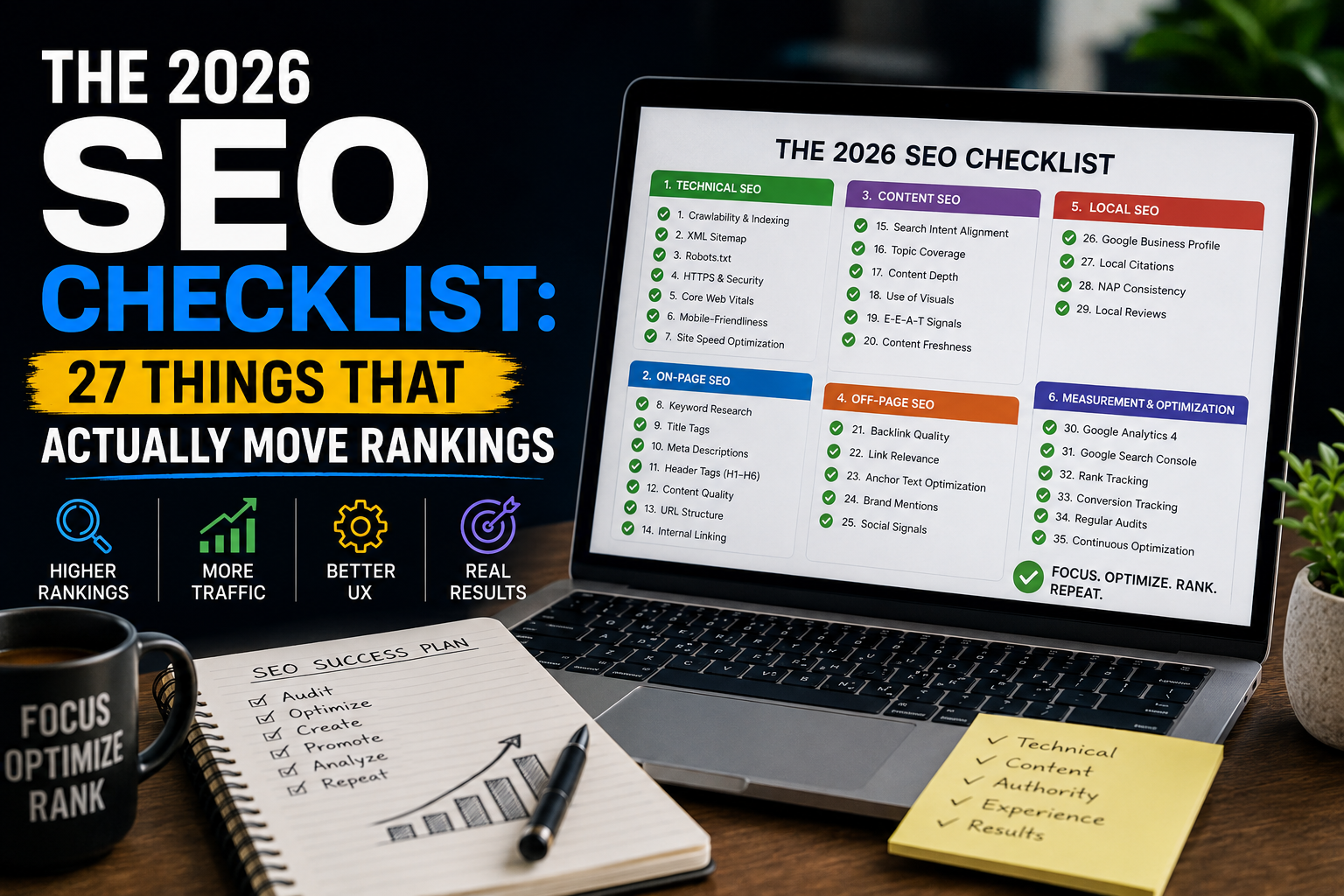
27
Tested ranking factors
Section 1: On-Page SEO (Items 1–9)
What this section covers: On-page SEO is everything you can control directly on the page itself — your title, headings, content structure, and how clearly you signal the topic to Google. Get this right before worrying about anything else.
1
Write a title tag that matches search intent exactly High Impact
Your title tag is the single most important on-page signal. It must match what the searcher is actually looking for — not just contain the keyword. Keep it under 60 characters. Put the primary keyword near the front. Do not keyword stuff. If someone searches “best running shoes for flat feet,” your title should answer that specific need, not just mention running shoes.
2
Write a meta description that earns the click High Impact
Meta descriptions do not directly affect rankings, but they directly affect click-through rate — which does. Write a description that clearly explains what the reader will get, uses the primary keyword naturally, and includes a reason to click over the other results. Keep it under 155 characters. Think of it as a two-line ad, not a summary.
3
Use one H1 tag that includes your primary keyword High Impact
Every page should have exactly one H1. It should contain your primary keyword and clearly tell both the reader and Google what the page is about. Your H1 can be different from your title tag — in fact, it often should be. The title tag is for search results; the H1 is for the reader landing on your page.
4
Structure content with H2 and H3 subheadings logically Quick Win
Subheadings serve two purposes: they help readers scan and navigate, and they help Google understand the structure of your content. Use H2s for major sections and H3s for subsections. Include related keywords in your subheadings naturally — but write them for readers first. A well-structured page also tends to earn featured snippets more often than unstructured content.
5
Match your content format to search intent High Impact
Before writing a word, search your target keyword and look at what ranks. Is Google showing listicles, how-to guides, product pages, or videos? That format is ranking because it best satisfies what searchers want. Do not write a 3,000-word essay if the top results are all quick comparison tables. Content format alignment is one of the most overlooked ranking factors.
6
Include your keyword in the first 100 words Quick Win
Google gives slightly more weight to keywords that appear early in the content. More importantly, it confirms to the reader immediately that they are in the right place. Introduce your topic clearly in the opening paragraph without forcing the keyword awkwardly. This is a small signal but an easy one to get right consistently.
7
Add LSI and related keywords throughout the content High Impact
LSI (Latent Semantic Indexing) keywords are terms that naturally relate to your main topic. They help Google understand the full context of your content. Do not stuff them in — just write comprehensively about your topic and they will appear naturally. A good test: search your keyword and scroll down to “People also ask” and “Related searches.” Those are the topics you should be covering.
8
Write content that is longer and more useful than the current top result High Impact
More words do not equal better rankings. But more useful information does. Before publishing, look at the top 3 results for your keyword and ask: what are they missing? What question do they leave unanswered? What could a reader walk away and do immediately after reading your content that they could not do after reading theirs? Answer those gaps and you have a competitive advantage.
9
Optimise image alt text with descriptive, keyword-relevant text Quick Win
Alt text serves two purposes: accessibility for screen readers, and a signal to Google about what the image shows. Write alt text that describes the image accurately. If the image is relevant to your keyword, include it naturally. Do not write alt text like “image1.jpg” or keyword-stuff it with ten variations of your keyword. Keep it under 125 characters.
Section 2: Technical SEO (Items 10–18)
What this section covers: Technical SEO is the foundation. If Google cannot crawl, index, or load your pages properly, none of your content work matters. These items are not exciting but they are critical.
10
Ensure your page loads in under 3 seconds High Impact
Page speed is a confirmed Google ranking factor and a massive user experience signal. Test your page at PageSpeed Insights (pagespeed.web.dev). Aim for a score above 70 on mobile. The most common causes of slow load times are uncompressed images, render-blocking JavaScript, and no caching. Fix these first before worrying about anything else on this list.
11
Pass Core Web Vitals on mobile and desktop High Impact
Core Web Vitals are Google’s official page experience metrics: LCP (how fast the main content loads), INP (how responsive the page is to interaction), and CLS (how stable the layout is). All three must pass. LCP should be under 2.5 seconds. INP should be under 200ms. CLS should be under 0.1. Check your scores in Google Search Console under “Core Web Vitals.”
12
Make sure the page is mobile-friendly High Impact
Google uses mobile-first indexing, which means it primarily uses the mobile version of your page for ranking. If your page looks broken on a phone, it will rank worse even on desktop searches. Test with Google’s Mobile-Friendly Test tool. Pay attention to font size (at least 14px), tap target sizes, and whether content fits the viewport without horizontal scrolling.
13
Set a clean, keyword-rich URL slug Quick Win
Your URL should be short, readable, and include your primary keyword. Use hyphens between words, not underscores. Avoid dates, ID numbers, and unnecessary words. A URL like /seo-checklist-2026 is better than /blog/post?id=4829&date=04-2026. Set your URL slug before publishing — changing it later requires a redirect and risks losing any existing ranking signals.
14
Check that the page is indexed by Google Technical
A page that Google cannot index cannot rank. Check by typing site:yourwebsite.com/your-page-url into Google. If it does not appear, something is blocking indexing — a noindex tag, a robots.txt rule, or a canonicalization issue. Use Google Search Console’s URL Inspection tool to get the full picture and request indexing for new pages after publishing.
15
Add structured data (schema markup) where relevant Technical
Schema markup helps Google understand what your content is about and can unlock rich results in search — star ratings, FAQs, how-to steps, and more. For blog posts, add Article schema. For tools or software, add SoftwareApplication schema. For FAQs, add FAQPage schema. Use Google’s Rich Results Test tool to check your implementation. Rich results significantly improve click-through rates.
16
Fix broken links and redirect chains Technical
Broken links waste Google’s crawl budget and give users a bad experience. Redirect chains (where one redirect points to another redirect) dilute link equity. Audit your site for broken internal links quarterly. If you have changed URLs, use a 301 redirect directly to the final destination — not through multiple hops. Tools like Screaming Frog or Ahrefs Webmaster Tools can find these automatically.
17
Ensure HTTPS is properly configured Technical
HTTPS has been a Google ranking signal since 2014 and is now expected as a baseline. Make sure your SSL certificate is valid and not expired, all pages load over HTTPS with no mixed content warnings, and HTTP URLs redirect permanently to HTTPS. A misconfigured HTTPS setup can also trigger browser security warnings that devastate your click-through rate.
18
Submit your XML sitemap to Google Search Console Quick Win
A sitemap tells Google about all the pages on your site and when they were last updated. It does not guarantee indexing, but it speeds up discovery — especially for newer sites or pages that are not well-linked internally. Generate your sitemap automatically (most CMS platforms do this) and submit it in Google Search Console under Sitemaps. Update it whenever you add new content.
Section 3: Content Quality (Items 19–23)
What this section covers: Google’s Helpful Content system evaluates whether your content was genuinely made for people or just made to rank. These items address the signals Google uses to make that determination.
19
Demonstrate first-hand experience or expertise in the content High Impact
Since Google’s helpful content updates, E-E-A-T (Experience, Expertise, Authoritativeness, Trustworthiness) has become a major quality signal. Content written by someone with genuine first-hand experience consistently outperforms generic content. Include specific details, personal observations, real examples, and opinions that only someone with actual experience in the topic would have. Vague, hedging content gets demoted.
20
Give a clear, specific answer early in the content High Impact
Do not bury the answer. Google rewards content that satisfies the searcher’s query quickly and completely. If someone asks “how long does SEO take,” give them a direct answer in the first paragraph — then expand on it. Padding introductions with background context the reader did not ask for increases bounce rate and sends negative engagement signals to Google.
21
Update old content regularly with fresh information Quick Win
Content freshness is a ranking signal for topics where recency matters. Updating an old article with new data, revised recommendations, or a corrected section — and updating the published date — can give a significant ranking boost without creating new content from scratch. Audit your existing posts every six months. A well-updated old post often outperforms a new post on the same topic.
22
Avoid thin content and duplicate pages High Impact
Thin content — pages with very little useful information — is actively penalised by Google’s quality systems. A 200-word page that barely covers a topic does more damage to your site’s overall quality score than having no page at all. Similarly, duplicate content (same or near-identical text on multiple pages) confuses Google about which page to rank. Merge thin pages, add depth, or use canonical tags to consolidate duplicates.
23
Format content for readability — short paragraphs, white space, visuals Quick Win
Content that is hard to read gets abandoned quickly. High bounce rates and low dwell time signal to Google that users did not find what they needed. Break up walls of text with short paragraphs (2–4 sentences), use subheadings every 300–400 words, add images or diagrams to illustrate complex points, and use bullet points for lists of 3 or more items. Good formatting directly improves engagement metrics that Google tracks.
Section 4: Links & Authority (Items 24–27)
What this section covers: Links remain one of Google’s most powerful ranking signals. This section covers both internal linking — which you control completely — and external link building fundamentals.
24
Add internal links from high-authority pages to new content High Impact
Internal links pass authority (PageRank) from one page to another within your site. When you publish a new page, go to your existing high-traffic pages and add a contextual link to the new content with descriptive anchor text. This is one of the fastest ways to help a new page get discovered and start ranking. Do not just link from your navigation — link from within the body content of relevant pages.
25
Use descriptive anchor text for all internal links Quick Win
Anchor text — the clickable words in a link — tells Google what the linked page is about. “Click here” or “read more” conveys no information. “How to do keyword research” or “our free SEO analyzer tool” are far more descriptive and pass more relevant context. Audit your internal links and replace generic anchor text with descriptive phrases. It is a small change with meaningful impact on rankings.
26
Earn backlinks through genuinely link-worthy content High Impact
Backlinks from other websites are still one of Google’s strongest ranking signals. The most sustainable way to earn them is to create content that is so useful, so data-rich, or so comprehensively researched that other sites naturally want to reference it. Original research, free tools, comprehensive guides, and unique data sets attract links organically. Cold outreach to relevant websites sharing your best content can accelerate this. Avoid buying links — the risk is not worth it.
27
Link out to authoritative external sources Quick Win
Outbound links to credible, authoritative sources (Google’s own documentation, well-known research studies, established industry publications) are a trust signal. They show Google that your content is well-researched and connected to reliable information. Do not be afraid to link out — keeping users on your page at all costs is less important than demonstrating that your content is grounded in reliable sources.
💡 Pro Tip
Do not try to implement all 27 items at once on every page. Start with the High Impact items in Sections 1 and 2 — get those right on every new page before publishing. Then run through the full checklist during your monthly content audit on existing pages.
How to Use This Checklist Going Forward
Save this page or bookmark it. Before publishing any new page on your site, run through Sections 1 and 2 at minimum. Set a reminder to run the full checklist on your top 10 pages every three months.
The pages that rank consistently over years are not the ones that got lucky with a trend or a viral backlink. They are the ones that cover all the fundamentals, answer the question better than anyone else, and get maintained as search behaviour and algorithm updates evolve.
SEO is not a one-time task. It is a system. Use this checklist as part of that system and you will compound your results over time in a way that paid ads and shortcuts simply cannot match.
⚠️ Important
SEO results depend on many factors outside your control including your site’s domain age, existing authority, competition level, and Google algorithm updates. This checklist reflects best practices based on current ranking signals, but nothing in SEO is guaranteed. Test everything on your own site.
Your words have the power to change lives and I am grateful for the positive impact you have had on mine Thank you
Your blog is always a highlight of my day