
Internal Linking: The Underrated SEO Lever for Small Sites
Most small sites leave internal linking to chance — and silently lose rankings because of it. This guide shows you the exact strategy to move PageRank authority where it matters most, without a single new backlink.
Ask ten SEO practitioners what they would do first to improve a small site’s rankings, and nine of them will say “get more backlinks.” That answer is not wrong — backlinks matter. But it misses one of the most powerful levers available to every site owner right now, completely free, with no outreach required: internal linking.
Internal links are the connections between pages on your own site. Done well, they do three things that directly improve rankings. They pass PageRank — Google’s core authority signal — from your strongest pages to your weaker ones. They help Google understand the structure and hierarchy of your content. And they guide readers deeper into your site, which improves engagement signals that Google uses as secondary ranking inputs.
Most small sites have almost no intentional internal link structure. Links are added as an afterthought, with generic anchor text, pointing to random related articles rather than following any strategic logic. This guide fixes that. By the end you will have a clear system for structuring internal links that consistently moves the ranking needle — even without a single new backlink.
How Internal Links Actually Work: The PageRank Explanation
To use internal linking strategically, you need to understand PageRank — not the oversimplified version, but the actual mechanism. PageRank is the score Google assigns to every URL based on how many links point to it and how authoritative those linking pages are. Every page on your site has a PageRank score, whether you can see it or not.
When a page links to another page, it passes a portion of its PageRank to that page. This applies to internal links just as much as external backlinks. A link from a high-PageRank page on your site to a lower-PageRank page directly increases the lower page’s authority — and therefore its ranking potential.
Here is why this matters for small sites specifically. A small site typically has a handful of pages that attract most of its backlinks — the homepage, perhaps one or two popular articles. These pages accumulate PageRank from external sources. Without intentional internal linking, that authority sits concentrated on a few pages. With intentional internal linking, you redistribute that authority across the pages you most want to rank. Same site, same backlinks, significantly different ranking distribution.
There are two additional mechanisms beyond PageRank. First, internal links help Google discover and crawl new content. A new page with no internal links pointing to it may not be discovered or indexed for weeks. A new page with internal links from established pages gets crawled almost immediately. Second, internal links with descriptive anchor text tell Google what the linked page is about — reinforcing the topic signals that influence keyword rankings.
The Hub-and-Spoke Model: The Right Structure for Small Sites
The most effective internal linking structure for sites with under 100 pages is the hub-and-spoke model. It is simple, scalable, and directly aligned with how Google evaluates topical authority.
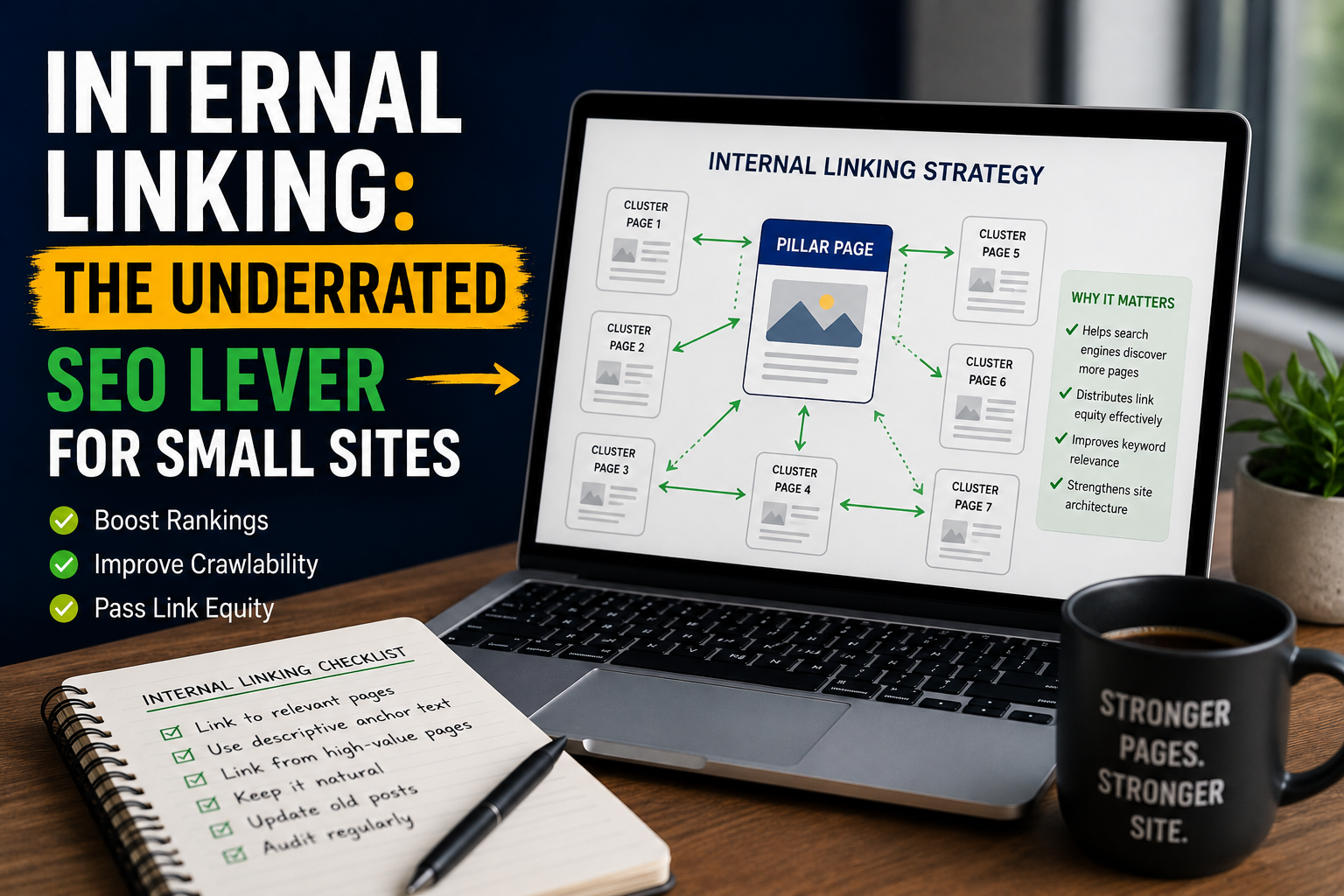
A hub page — also called a pillar page — is a comprehensive article that covers a broad topic at a high level. It links out to multiple spoke pages, each of which covers a specific subtopic in depth. Every spoke page links back to the hub. Spokes also link to each other when the content is directly related.
PAGE
Hub
For an SEO blog, an example hub-and-spoke cluster might look like this: the pillar page covers “On-Page SEO” broadly. The spoke pages each cover one specific on-page factor — title tags, meta descriptions, heading structure, image optimisation, internal linking (this article), and so on. Each spoke links back to the pillar, the pillar links to all spokes, and spokes cross-link to each other where relevant.
The result is a dense web of internal links all reinforcing the same topical theme. Google sees a site that covers a subject comprehensively and authoritatively, not a collection of isolated articles. This is one of the primary reasons newer sites with consistent hub-and-spoke structures can outrank older sites with more backlinks but less topical coherence.
High authority
Receives authority
Cross-linked
Gets lifted
Anchor Text: The Part Most Sites Get Wrong
Anchor text is the visible, clickable text of a link. It is one of the most underused internal linking tools available. Most sites use one of two approaches: generic anchor text like “click here” or “read more,” which tells Google nothing useful, or exact-match keyword stuffing, which looks unnatural and can trigger over-optimisation signals. The right approach is in between — descriptive, natural, and keyword-relevant.
| Anchor Text Example | Type | Quality | Why |
|---|---|---|---|
| click here | Generic | Weak | Zero topical signal to Google |
| read more | Generic | Weak | Wasted link opportunity |
| this article | Generic | Weak | No keyword context passed |
| SEO checklist | Partial match | Okay | Some signal but could be richer |
| our free meta tag generator tool | Descriptive | Strong | Describes the page fully and naturally |
| how to write a meta description that gets clicks | Descriptive | Strong | Rich keyword context, reads naturally |
| complete on-page SEO checklist for 2026 | Descriptive | Strong | Specific, keyword-relevant, no stuffing |
The practical rule is simple: your anchor text should tell both the reader and Google what they will find on the linked page. Write it as you would naturally describe the content in a sentence. “You can find the full breakdown in our complete on-page SEO checklist for 2026” is perfect. “You can find the full breakdown here” is a wasted opportunity.
One important caveat: do not use the exact same anchor text for every internal link to the same page. Vary the phrasing naturally. Multiple identical anchor texts pointing to the same page can look manipulative to Google’s systems. Use synonyms, related phrases, and different formulations of the same idea.
The 6 Rules of Strategic Internal Linking
Internal Linking Do’s and Don’ts
How to Audit Your Internal Links Right Now: A 5-Step Process
If your site is already live with content, here is a practical audit process you can run today to find and fix the most impactful internal linking issues.
The 4 Most Damaging Internal Linking Mistakes on Small Sites
1 Linking only from new articles to old ones — never the reverse
Many bloggers naturally mention and link to their older content when writing new articles. But they rarely go back and add links from those older articles to the new content. This is backwards from an authority-flow perspective. Your older, established articles have accumulated more PageRank over time. Linking from them to new content is far more valuable than the reverse. Every time you publish something new, update 2–3 existing articles to include a link to it.
2 Using the homepage as a pass-through rather than a distributor
Your homepage is typically the highest-PageRank page on your site because it receives the most backlinks. Many small sites link their homepage only to top-level navigation pages — which then link to content. This creates a long chain that dilutes authority before it reaches your articles. Instead, add direct links from your homepage to your most important pillar articles and your highest-priority ranking targets. Cut out the middleman in your authority chain.
3 Creating silos with no cross-linking between topics
Topic silos — where your SEO articles only link to other SEO articles and your productivity articles only link to productivity articles — prevent PageRank from flowing to where it is needed most. While keeping links contextually relevant is important, cross-linking between related but different topics is natural and beneficial. If an SEO article naturally references a content strategy concept, link to your content strategy article. Real content is interconnected — your internal links should reflect that.
4 Treating internal linking as a one-time setup task
Internal linking is an ongoing process, not a one-time project. As you publish new content, your existing articles become opportunities to add more links. As you identify pages that need a ranking push, you go into existing content to add links to them. Set a recurring reminder every month to add internal links from new articles to old ones and from old articles to new ones. Ten minutes per month of deliberate internal link work consistently compounds into significant ranking improvements over a year.
How Long Before You See Results
Internal linking improvements typically show ranking movement within four to eight weeks. This is faster than most SEO tactics because you are directly manipulating a signal Google already uses — you are not waiting for external validation like backlinks. The pages most likely to see the fastest movement are those already in positions 11–30, since a small authority boost can push them from page two to page one.
Pages in positions 31 and below typically need more than internal links alone to reach page one — they likely need a combination of improved content, internal links, and external backlinks. But internal linking improvements often move these pages from position 40 to position 25, which sets them up for the next stage of optimisation.
Internal Linking — Common Questions Answered
Practical answers to the most common questions about internal linking strategy for small sites.
There is no fixed number, but a practical guideline is 2–5 contextual internal links per article, each pointing to a different relevant page. Every link should be editorially justified — it should genuinely help the reader find related useful content.
Quality over quantity. A page with 3 well-placed, descriptive internal links will outperform a page with 15 forced links added just to hit a number.
Yes. Links placed within the main body content of an article carry more PageRank weight than links in headers, footers, or sidebars. Google considers contextual links — those embedded naturally within the text — to be editorially chosen and therefore more meaningful than structural navigation links.
Focus your internal linking strategy on body content links, not navigation additions.
An orphan page is a published page that no other page on your site links to. It receives no PageRank through internal links, is crawled infrequently by Google, and typically ranks poorly even with good content.
Fix it by going into 2–3 existing articles on related topics and adding a contextual link to the orphan page with descriptive anchor text. Even one or two well-placed internal links can significantly improve how often Google crawls and re-evaluates the page.
Excessive or irrelevant internal links can dilute the PageRank passed to any individual page and may look manipulative to Google’s systems. The key is relevance and editorial judgment.
Every internal link you add should serve the reader — if you cannot naturally explain why the linked page is useful to someone reading your current article, the link should not be there.
Typically 4–8 weeks for measurable ranking movement. Pages already sitting in positions 11–30 respond fastest — a targeted internal link boost from a high-authority page can push them onto page one within that window.
The fastest action: find your top 3 traffic pages in Google Search Console and add one well-anchored internal link from each to your most important near-miss pages.
No — vary your anchor text naturally. Using the exact same keyword phrase every time you link to the same page can trigger over-optimisation signals. Use the exact keyword phrase, related synonyms, and descriptive phrases across different articles.
The rule: anchor text should describe what the reader will find on the linked page. If it reads naturally in a sentence, it is good anchor text.
The hub-and-spoke model is an internal linking structure where one comprehensive pillar article (the hub) covers a broad topic and links to multiple related supporting articles (the spokes), each covering a specific subtopic in depth. Every spoke links back to the hub.
For sites with under 100 pages, this is the most effective structure for building topical authority and distributing PageRank efficiently. You do not need to rebuild your site to use it — just identify your most comprehensive existing article on a topic and start linking related articles to and from it.