
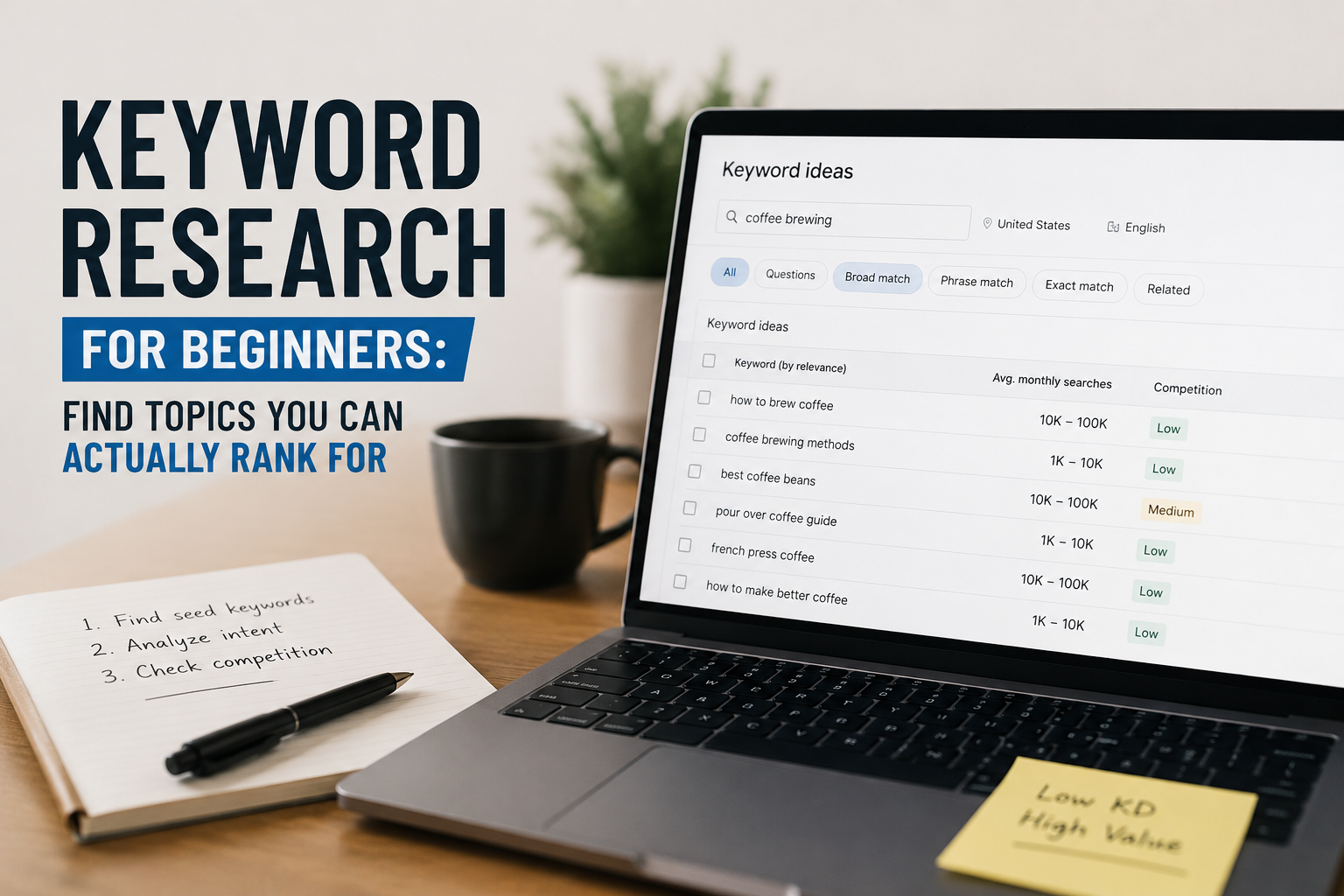
Keyword Research for Beginners: Find Topics You Can Actually Rank For
Forget domain authority and expensive tools. This is the free keyword research process that finds low-competition topics with real traffic potential — tested on real sites, not pulled from a template.
Most beginner keyword research guides tell you the same things. Use a tool. Look for high volume. Check the difficulty score. Start writing. Then six months pass and nothing ranks. The advice is not wrong — it is incomplete. This guide covers the full process, from scratch, using only free tools.
Finding keywords that a new site can actually rank for in 2026 requires a different mindset — one that prioritises the right kind of opportunity over raw search volume, and treats Google as a search engine that rewards specificity, not one that rewards size.
Why Most Beginners Target the Wrong Keywords
When most people start a website, they type their topic into a keyword tool, sort by search volume, and pick the biggest number they can find. “SEO tips” — 90,000 searches per month. Let’s write about that.
The problem is that “SEO tips” is not a keyword. It is a category. And that category is owned — thoroughly — by sites with thousands of backlinks, decade-old domain authority, and full-time content teams. A brand-new site competing there is like opening a corner shop next to a supermarket and wondering why foot traffic is low.
The goal for a new site is not to find the most searched topics. It is to find the most winnable ones — searches where the person has a specific need, the current results are genuinely beatable, and your page can be the most useful answer on the internet for that exact query.
Step 1: Start With Your Niche, Not a Tool
Open a blank document and answer this question: what specific problems does my website solve, and for whom? Do not think about keywords yet. Think about people.
Who are they? What do they struggle with? What do they type into Google when they are frustrated, stuck, or trying to learn something?
For a site like this one — SEO tools and guides for indie founders — the answers might look like:
- Bloggers who just launched and have zero traffic
- Small business owners who cannot afford an SEO agency
- Developers who built a product but have no idea how to get it found
- Non-technical founders trying to understand why their site is not ranking
Write down ten specific problems those people have — real, specific problems. These become your seed keywords.
Step 2: Turn Problems Into Seed Keywords
A seed keyword is a short, broad phrase that represents a topic area. It is not what you will target — it is what you will expand from. Take your list of specific problems and compress each one:
| Problem | Seed keyword |
|---|---|
| Why is my page not indexed after publishing | page not indexed google |
| How to find keywords without paying for tools | free keyword research |
| What to write about on a new blog | blog topic ideas |
| How to make Google understand what my page is about | on page SEO basics |
| Why my site loads slowly and how to fix it | site speed wordpress |
You should have ten to fifteen seed keywords by now. These are starting points — not destinations.
Step 3: Use Google Itself Before Any Tool
The single most underused keyword research tool is already open in your browser. Before reaching for any software, run every seed keyword through Google and pay attention to four things:
Autocomplete suggestions
Start typing your seed keyword and stop before pressing enter. Google’s autocomplete shows you actual phrases people are searching in real time. “free keyword research” becomes “free keyword research tool no sign up,” “free keyword research for beginners,” “free keyword research google,” and so on. Every suggestion is a real search from a real person.
People Also Ask
The expandable question box in search results is a direct window into what your audience wants to know. Every question in that box is a potential article, a potential H2 heading, or a potential FAQ section that makes your content more complete.
Related Searches
Scroll to the bottom of the results page. The eight related searches are closely connected topics that Google already associates with your seed keyword. These reveal the full topic cluster around your keyword — adjacent searches your audience makes before and after.
The results themselves
Look at what is actually ranking. Who wrote it? When was it written? Does it genuinely answer the question, or is it a thin, generic overview? If you find search results from 2021 or 2022 that have not been updated, that is a meaningful signal. Outdated content is a gap you can fill.
Write down every autocomplete suggestion, PAA question, and related search that feels relevant. You now have a raw keyword list built from real search behaviour — more valuable than any tool’s database.
Step 4: Filter for Search Intent Before Checking Volume
This is the step most guides skip, and it is the most important one. Search intent is the reason behind the search. Every keyword has one of four intents:
| Intent type | What it means | Example | Good for |
|---|---|---|---|
| Informational | Person wants to learn | “how to do keyword research” | Blog articles, guides |
| Navigational | Looking for a specific site | “Ahrefs login” | Skip — can’t compete |
| Commercial | Researching before buying | “best keyword research tools” | Affiliate content |
| Transactional | Ready to act right now | “Semrush free trial” | Product pages |
For a new site, informational and commercial keywords are your targets. Informational for growing organic traffic. Commercial for affiliate revenue once you have an audience.
Before you spend a second checking search volume on any keyword, open an incognito tab and search it. Look at the results. Is Google showing long-form guides (informational), product comparison pages (commercial), or brand homepages (navigational)? The format that dominates tells you the intent — and what format your page needs to have any chance of ranking.
Step 5: Find the Actual Search Volume (Free)
Now check volume — but understand what the numbers actually mean first.
A keyword with 100 monthly searches is not a small keyword. If you rank number one for it and get a 30% click-through rate, that is 30 visitors per month from one page. Publish twenty well-targeted pages at that scale and you have 600 monthly visitors from keywords you can actually compete for. That compounds.
The three best free tools for checking volume:
Monthly volume: 100–2,000 searches · Keyword difficulty: under 30 · Intent: informational or commercial
Step 6: Evaluate Competition Manually — This Is Where You Win
No tool tells you whether you can actually outrank the current results better than looking at the results yourself. For every keyword that passes the volume and intent filters, open Google in an incognito tab and look at the top five results. Ask these questions:
Who is ranking?
If the first page is all major publications — Forbes, HubSpot, Search Engine Journal — this keyword is dominated. Move on. If you see smaller niche blogs, forum threads, Reddit posts, or content from sites similar in size to yours, that is a beatable result page.
How old is the content?
An article from 2021 ranking for a topic that has changed significantly since then is vulnerable. You can outrank it with an updated, current version that reflects what has actually changed. In a fast-moving field like SEO, outdated content is everywhere.
How complete is the content?
Read the top result. What does it miss? Are there obvious follow-up questions left unanswered? Are there sections that are thin or vague? Every gap is an opportunity. Your job is not to write about the same things — it is to write a more complete, more useful version of the best result on the page.
If you read the top result for a keyword and genuinely think “I can write something better and more useful than this” — target it. That gut check is more reliable than any difficulty score.
Step 7: Prioritise Long-Tail Keywords First
Long-tail keywords are longer, more specific phrases with lower search volume and lower competition. They are the fastest path to first rankings for a new site.
| Avoid (too broad) | Target instead (long-tail) |
|---|---|
| keyword research | keyword research for beginners free tools no signup |
| SEO tips | SEO tips for new blogs with no traffic |
| meta tags | how to write meta descriptions that get clicked |
| backlinks | how to get backlinks for a new website free |
| blog growth | how to grow a blog from 0 to 1000 visitors |
The logic is simple. Shorter keywords represent broader intent — a hundred different kinds of pages could be the right result. Longer keywords are less competitive because fewer sites have written specifically for that exact phrasing. And the searcher behind a long-tail keyword is usually further along in their thinking — they know what they want, which means they convert better when they find it.
For your first twenty articles, every target keyword should be at least four words long. No exceptions.
Step 8: Build Topic Clusters, Not Isolated Articles
This is the shift that separates sites that plateau from sites that compound.
A topic cluster is a group of related articles that link to each other, with one central “pillar” article covering the topic broadly and several supporting articles covering specific subtopics in depth.
For keyword research, a cluster might look like this:
Pillar: Keyword Research for Beginners: Find Topics You Can Actually Rank For
Supporting articles:
- How to Use Google Keyword Planner for Free (Step-by-Step)
- What Is Keyword Difficulty and Should Beginners Care?
- Long-Tail Keywords Explained: What They Are and How to Find Them
- How to Check Search Intent Before Writing Any Article
- Keyword Research Without Tools: The Manual Method That Still Works
Each supporting article targets a specific long-tail keyword and links back to the pillar. The pillar links out to all supporting articles. Google sees a site that has covered the topic comprehensively and treats it as a genuine authority on the subject.
Step 9: Track and Iterate — Keyword Research Never Stops
Keyword research is not a one-time task. Once your site has been live for two to three months, your best keyword research tool becomes Google Search Console. Check the Queries report weekly and look for:
- Impressions without clicks. Pages getting many impressions but few clicks need a better title tag or meta description — not new content.
- Keywords you never targeted. Every site accidentally ranks for related keywords. Find them and update those pages to specifically address those queries.
- Position 5–15 keywords. Pages ranking in positions five through fifteen are close. Improving position eight to position three typically multiplies traffic five to ten times.
Check keyword performance monthly. Adjust. Update. Build on what is working. This is how compound traffic growth actually happens — not from publishing constantly, but from continuously improving what you have already published.
The Free Keyword Research Stack
You do not need to pay for any tool to execute this process. Here is everything used in this guide:
| Tool | What you use it for | Cost |
|---|---|---|
| Google Search (incognito) | Autocomplete, PAA, related searches, SERP analysis | Free |
| Google Keyword Planner | Volume ranges and country-level data | Free |
| Google Search Console | Your site’s actual keyword data and impressions | Free |
| Ubersuggest (free tier) | Keyword difficulty estimates and content ideas | Free |
| RankGrowthLab Keyword Tool | Long-tail keyword ideas, no account required | Free |
The last one is worth calling out specifically. The free keyword research tool is built specifically for the kind of research described in this guide — finding realistic, specific keyword ideas without needing a subscription or an account.
A Note on Patience
New sites do not rank immediately. A well-targeted, well-written page from a new domain typically takes three to five months to reach its peak ranking position, assuming no major technical issues and some internal links pointing to it.
This is not a failure of your keyword research. It is Google’s trust-building period. The algorithm does not grant rankings to new sites immediately regardless of content quality. It watches. It indexes. It slowly pushes well-performing content higher as it gathers engagement data.
The sites that win are the ones that stay consistent during that period. Keep publishing. Keep targeting the right keywords. Keep building internal links. The compounding effect is real — but it takes longer to start than most people expect, and it builds faster than most people predict once it begins.
What to Do Next
If you are starting from zero: follow Steps 1 through 4 today. Build your seed keyword list and run them through Google manually. You do not need a single tool to complete those steps, and they will give you more insight than any software.
If you have a site with some content already: go to Google Search Console, open the Queries report, and look at what impressions you are already getting. Your next five articles are probably already hiding in that data.
If you want to speed up the process: use the RankGrowthLab Keyword Tool to expand your seed keywords into a full list of long-tail ideas, then filter using the manual SERP analysis method in Step 6.
The process works. The results take time. Start today, and three months from now you will have data — and data is the only thing that turns keyword research from guesswork into strategy.
Keyword Research for Beginners — Common Questions Answered
Simple answers to the most important beginner keyword research questions in 2026.
Target one primary keyword and 2–3 related secondary keywords per post. Trying to target too many unrelated keywords confuses Google about the actual topic of your page.
A focused article built around one strong topic will almost always outperform a page trying to rank for everything at once.
For new websites, target keywords with roughly 100 to 2,000 monthly searches. These keywords usually offer the best balance between traffic potential and ranking difficulty.
Avoid chasing extremely competitive high-volume keywords until your site has built authority through consistent publishing.
Yes — modern Google ranking systems focus heavily on search intent, not just exact keyword matching.
In 2026, content that genuinely answers the user’s question will outperform pages that simply repeat the target keyword unnaturally.
Absolutely. Free tools like Google autocomplete, People Also Ask, Related Searches, Google Keyword Planner, and Google Search Console are enough for most beginners.
Paid tools mainly improve speed and scalability — they are not mandatory when starting out.
Most low-competition keywords take around 3–5 months to reach peak rankings on a new website.
The biggest ranking advantage comes from consistency. Sites that continue publishing quality content during Google’s trust-building period are the ones that eventually win.